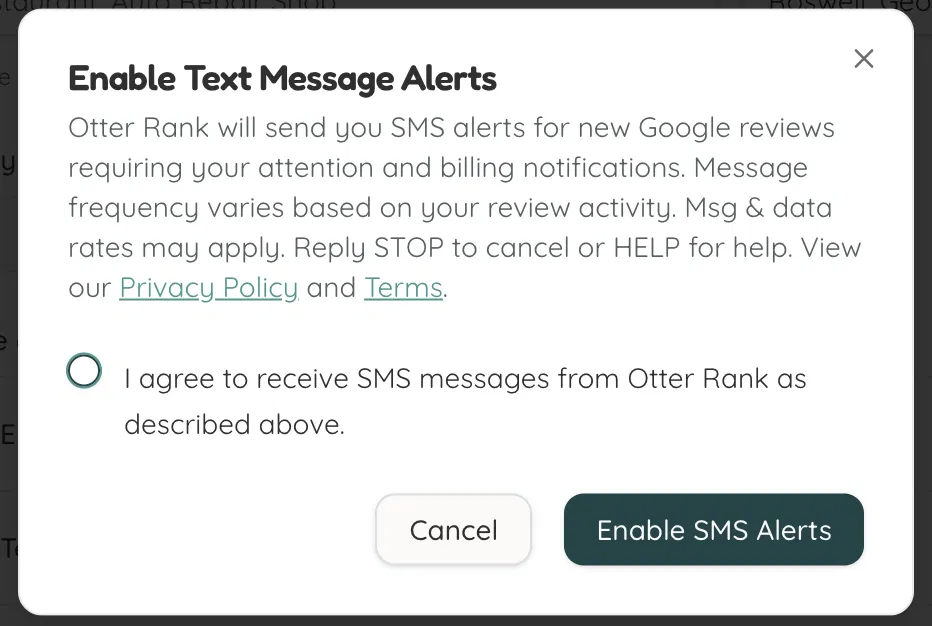
Otter Rank — SMS Opt-In Flow
The following screenshots document how Otter Rank subscribers consent to receive SMS alerts.
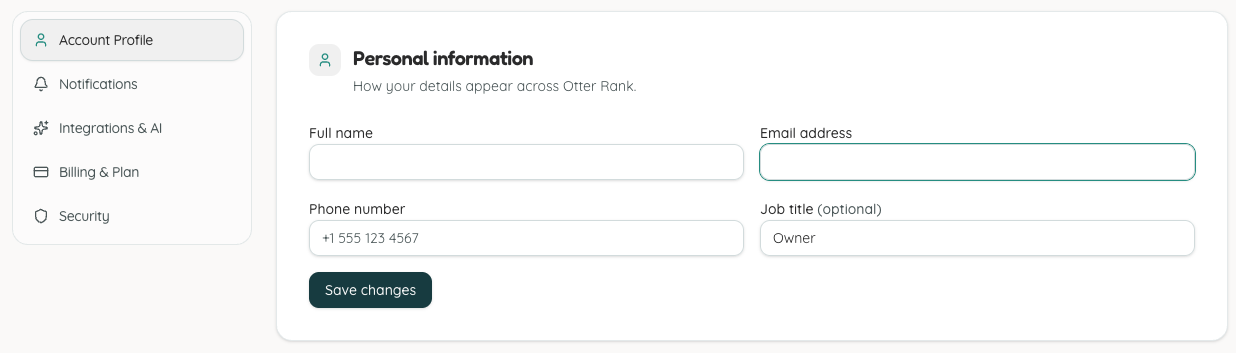
Step 1: User enters their phone number in Account Profile
The phone number field is optional and not required to create an account. It must be filled in before a user can enable SMS alerts — attempting to enable SMS alerts without a phone number on file is blocked in the UI.
Step 2: User enables Text Message Alerts in Notifications
Once a phone number is on file, the user can toggle "Text message alerts" in Settings > Notifications. This triggers a consent dialog requiring active confirmation — including brand name, message types, frequency disclosure, rate disclosure, and opt-out instructions — before SMS is activated.